
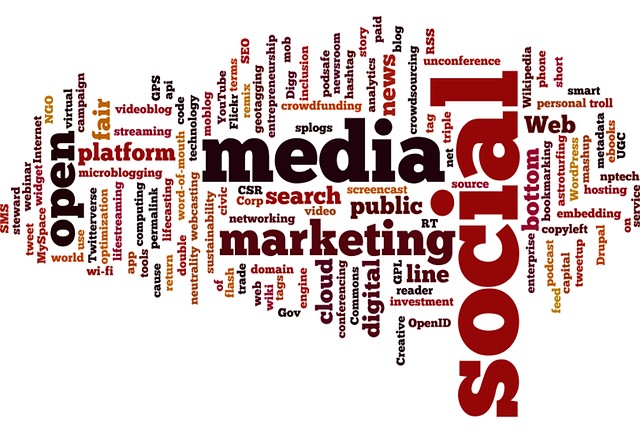
Have you ever seen a visual representation of words in the form of a cloud? Well, that was done using a word cloud generator software. It’s a sophisticated software that analyzes the words in textual data, giving you an impressive representation with useful insights that are easier to understand.
Word clouds are crucial in text analysis. That’s why word cloud generators are the best way to analyze and present your qualitative data. Unfortunately, with so many word cloud software tools in the market today, it can be difficult to identify one that works for you. That’s why this article will discuss all there is to know about word cloud generators and the best word cloud tools.
What is a Word Cloud?
A word cloud is a visual representation of text data often used to brighten up presentations. In other words, it’s known as a text cloud or word art. Word clouds are great for creatively visualizing unstructured text data and gathering insights for patterns, trends, and customer sentiment.
The working mechanism of a word cloud is very concise. The bigger and bolder words on the word cloud are words that frequently appear on the raw data. In essence, the word cloud offers a comprehensive and reliable way to pull vital textual data from your database.
Since the human mind comprehends visuals better than text, word clouds make it easier to capture important insights. In short, word clouds convert boring presentations into interactive works of art.
How To Make a Word Cloud
To create a word cloud, you can do it in four simple steps with Speak AI’s powered word cloud generator software. This easy-to-use tool leverages the most advanced algorithms to deliver accurate word clouds.
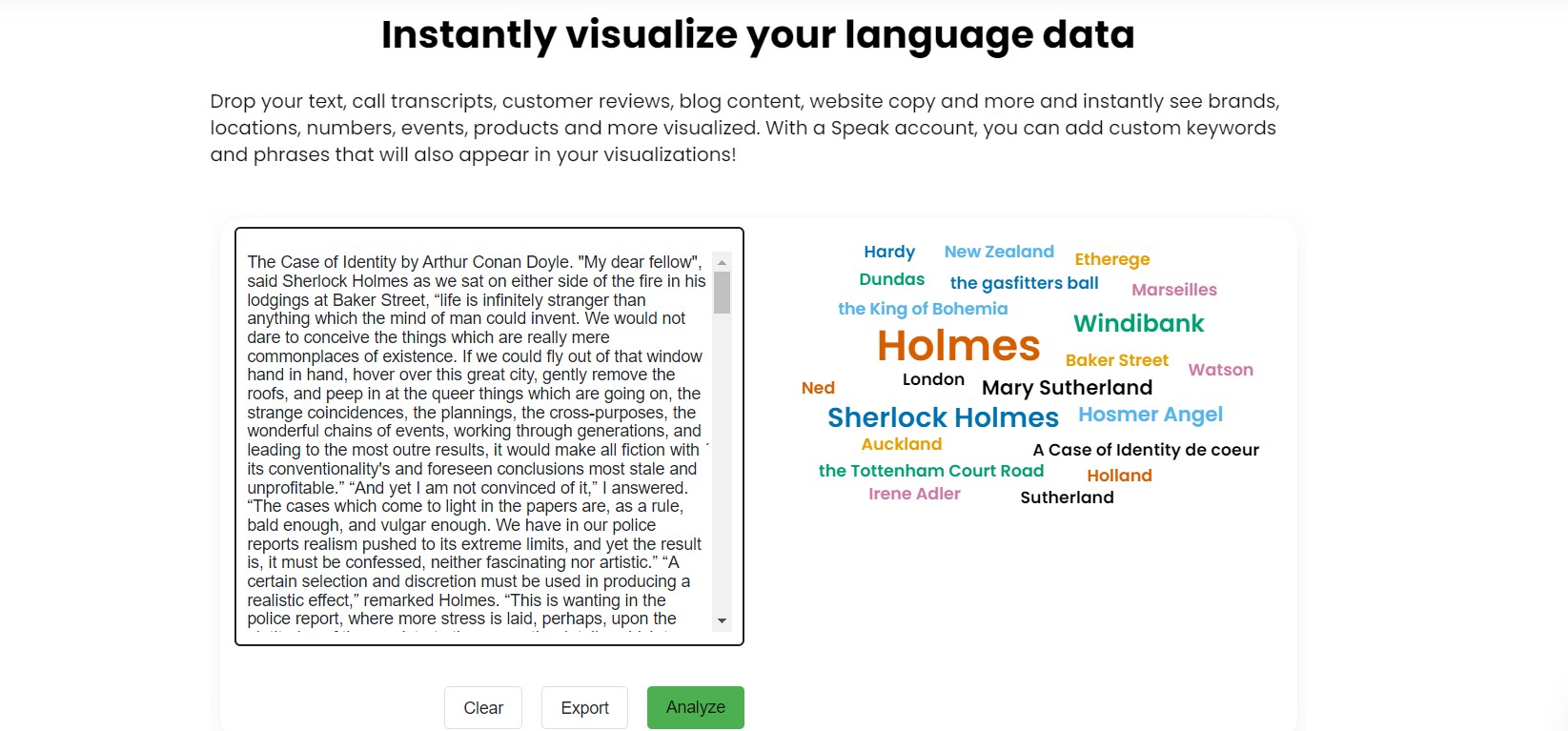
- Upload your data or paste it directly to the Speak Word Cloud Generator
- Click on the ‘Analyze’ button. That allows you to create your word cloud.
- Customize your word cloud. The personalization tool allows you to alter the fonts, colours, and quantity of words to your preference.
- Export the word cloud images. The export button lets you download the word cloud image to your PC.
Word Cloud Examples

Besides being eye-catching, word clouds offer a quick way to gain insight into data patterns. And with that in mind, here are some examples of word clouds.
- Survey responses
- Openers and icebreakers for a presentation
- Informed business decisions
- Simplified technical data
- A summary of customer reviews and feedback
- Opinions
- Test results
Best Word Cloud Tools
The two major forms of word cloud generator tools are;
- Free Word Cloud Generators
- Paid Word Cloud Generators
However, there’s a wide range of word cloud generator software to choose from, whether you are looking for customized word clouds for presentations or art. This section will discuss some of the best word cloud tools that will take your text analysis to the next level. We will highlight both paid and free ones.
1. WordArt.com Word Cloud Generator Software
This software recently changed its name from Tagul and can create stunning images for you. More importantly, WordArt.com is relatively easy to use, even if you have no prior experience creating word clouds.
The word cloud generator will quickly help create the perfect image by using the color tones from the picture you’ve uploaded. Additionally, the software allows you to tweak your image, including selecting the font size and orientation of words. Unfortunately, you’ll have to go with the paid version if you’d like to download HD-quality pictures, JPEG vectors, and more.
2. Wordle- Word Cloud Generator Software
Wordle is relatively nice, and it’s customizable. The software gives more prominence to words that frequently appear in the text. And just like WordArt, Wordle also offers a chance to customize the fonts, color themes, and the layout of the words.
The images created by this software are all yours, and you can use them however you like. Wordle makes it easy to print and save the image on your desktop.
3. WordClouds
WordClouds is another great free tool for generating word clouds for individual and commercial use. This word cloud generator software comes with a modern, easy-to-navigate interface. It also allows you to upload documents, add a URL to a website or copy and paste texts to the word cloud generator.
The best part is that you can further customize your word cloud design. You have a variety of fonts, color schemes, and background images to play around with. On top of that, you can edit your word list, add new words or change the frequency at which words appear.
4. TagCrowd
TagCrowd is an effective word cloud generator software with pretty unique features. This software is also web-based and free to use. You can upload documents, copy/paste, or add a website URL to the word cloud generator to generate word clouds in many languages.
Its unique features include the ability to group similar words and set the maximum frequency of a single word and the total number of words in the word cloud. Also, you can save the word clouds in several image formats, take screenshots or save them as PDFs.
5. Speak AI Word Cloud Generator Software
By far, Speak AI is the most straightforward free word cloud generator software out there. And the beauty of it all is that you don’t need any technical know-how to use Speak AI. Simply follow the instructions highlighted in the section ‘How to Create a Word Cloud’ above, and you are good to go!
Speak AI’s word cloud generator uses sophisticated algorithms and machine learning to reveal insights and help with writer’s block. The software is web-based, meaning the whole process will run on your browser. If you’d like more features, you can consider the paid version.
Here’s your chance to join 300,000+ people who rely on Speak AI to generate word clouds for valuable insights. You can start a trial or simply Book a Demo to create that perfect word cloud, unlock new revenue streams and keep doing what you love.
Frequently asked questions
What is a word cloud?
A word cloud is a visual representation of text data in which the most frequent words appear larger and bolder. It is a quick way to spot patterns, trends and customer sentiment in unstructured text.
How do I make a word cloud from text?
Paste your text into a word cloud generator or upload a file. The tool counts word frequency and displays common words in larger sizes. Speak AI can also work from a transcript of audio or video.
What are the best word cloud generators?
This guide covers WordArt.com, Wordle, WordClouds, TagCrowd and Speak AI. Simple tools suit one-off graphics, while Speak AI adds transcription and text analysis such as keywords, sentiment and themes.
What can I use instead of a word cloud?
Bar charts show exact word frequencies, treemaps show topic groups, and network graphs show how words relate. These can be easier to read precisely than a word cloud when you need to compare counts.
Can I create a word cloud from a transcript?
Yes. Upload an audio or video file to Speak AI, which transcribes it in 100+ languages and analyzes it for keywords, sentiment and themes. It has a free 7-day trial with no credit card.
Visualize & Analyze Your Data with Speak AI
Speak AI’s word cloud generator and text analysis tools help you visualize and understand your data. Generate word clouds from text, audio, and video — with built-in NLP analytics, keyword extraction, and AI-powered insights.
 English
  Español
  Français
  Italiano
  العربية
  Português do Brasil
  Nederlands
  Deutsch
  עִבְרִית
  Русский
  日本語
日本語  Polski
  Čeština
  Українська
  Slovenščina
  Svenska
  Ελληνικά
  Norsk bokmål
  简体中文
简体中文  Türkçe
  Català
  Magyar
  한국어
한국어  Slovenčina
  Suomi
Suomi