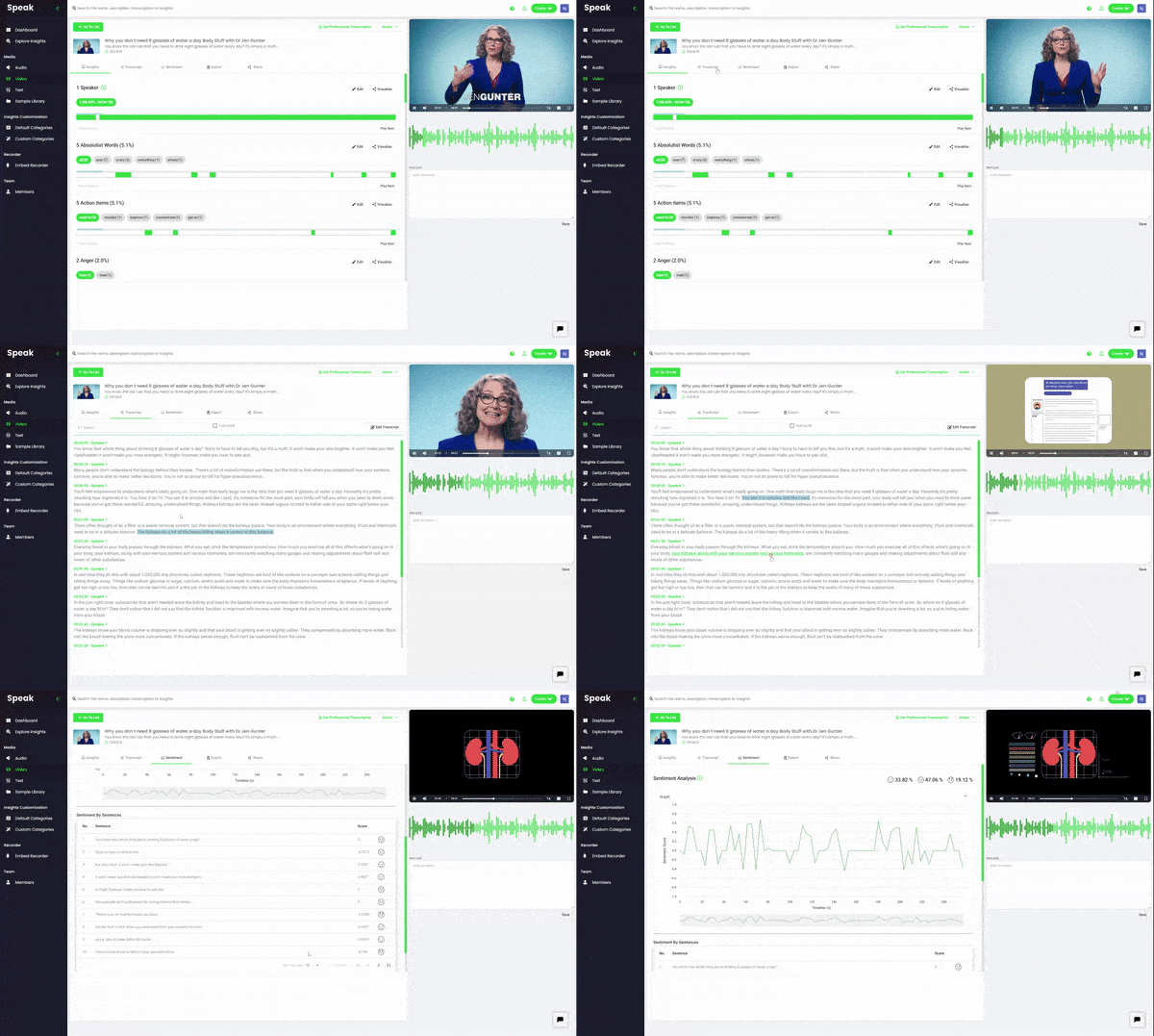
Easily transcribe your media with our WEBM to text converter. Then go beyond transcription and get powerful AI analysis about keywords, entities and sentiment in your media.
It's easy to upload multiple files and URLs with Speak Ai.
Create an account and import your file from anywhere - your computer, a YouTube URL or any publicly accessible link.
The first 30 minutes are free and you also get access to our premium features.
Step 2: Give us a moment while Speak works its magic.
Speak's powerful automated transcription and analysis will produce a transcript that can be up to 95% accurate depending on the quality of the uploaded audio.
As an added bonus you get advanced AI text and speech analysis that gives more meaning to your transcript.
Step 3: Edit your transcript or get it professionally transcribed.
We have an easy-to-use, built-in transcript editor that is stitched to your audio file. This means you can interact with the transcript and go to specific moments in your file.
If you'd rather not spend time editing your transcripts you can order professional human transcription with just a single click.
Step 4: Export your transcript in multiple formats.
Once you're satisfied with the quality of your WEBM to text transcript, you can export it in a variety of formats including TXT, PDF, DOCX, SRT and more.
You've got your transcript - now what?
Most automated transcription services are happy to just get you your transcript and send you on your way. But we always want to do more for you.
We found ourselves asking, "Now what?"
It's great that you have a transcript, but how do you now make that transcript valuable?
Here are a few tips on how you can go beyond just transcribing your WEBM to text by using Speak Ai:
Analyze your transcript with Natural Language Processing & Sentiment Analysis
Speak comes with built-in Natural Language Processing (NLP) and Sentiment Analysis which allows you to get better top level insights from your transcript.
You can use NLP to identify specific topics, names, brands and even set up custom vocabulary if you're transcribing content with uncommon words.
NLP is incredible helpful when it comes to quickly skimming through a transcript to find key information and can also inform marketing or content creation efforts by identifying important topics, keywords and brand mentions.
Sentiment Analysis is often used to get a general sense of the tone used throughout a recording. We currently identify three states - positive, neutral and negative - which allows you to navigate your transcript using tone and sentiment as an analysis point.
Share your media, transcript and analysis using SEO-friendly media players
Sometimes simply sharing a text transcript is good enough, however at other times you want something more engaging for your viewers. A great way to create more interactive content experiences is with our SEO-friendly media players.
Generate individual media players for your transcribed file that include the audio clip, a clickable, interactive transcript as well as any insights you choose to display.
Make your media more meaningful by Including the main topics or keywords. This allows your audience to navigate to moments in the media that matter the most to them.
This improves on-page engagement as well as guaranteeing that users find the information they are looking for.
Turn a transcript into blog posts with our WordPress integration
Content creation can be a frustrating process that takes much longer than we'd like. Did you know that transcripts are a quick solution to that?
If you don't have the time or capacity to create a blog post for every podcast, video or recording you have on your website, the easiest thing to do is just paste your transcript as-is on your website with the relevant media.
There are many benefits to this including increased on-page time, improved rankings for important keywords and you make sure that you're making your content accessible to a variety of users.
With Speak you can either do this manually by exporting your transcript in a format that works for you or you can set up an integration with your WordPress site.
Setting up the integration will allow you to seamlessly post your transcript on your website and edit it as a blog post with just one-click.
Create captions or subtitles and meet accessibility standards
One of the best ways to improve your audio and video content to meet accessibility standards is to include subtitles and closed captions.
Not only can you convert your WEBM to text with Speak, but you can then choose to export that text as SRT or VTT files as well.
These files can be uploaded to YouTube or merged with your media file to create accessible content that can only do wonders for your content's performance.
Our customers love us
I had 10 one-hour interviews that I needed to transcribe and analyze. Speak helped with that process immensely. Wishing you all the luck. I seriously think you have a winning product here.
Speak Ai is the product I always wanted. As a person who spends hours per day brainstorming out loud I never had the ability to make sense of all of my thoughts. Speak Ai had the ability to synthesize hours of audio into useful insights.
“This is super cool. I can definitely see the value in what you have built. We look forward to continuing to work with you and accessing this powerful technology.”
I put the iframe in and it works great and looks great too. Great job on the software. Amazing idea to use AI for!
I am thrilled to have this project underway, and I can't wait to get this in front of our prospective client base. Thank you for your continued support!
This is a complete paradigm shift for how we do research.
We love the product. It saves us hours and hours of work.
We use cookies to ensure that we give you the best experience on our website. If you continue to use this site we will assume that you are happy with it.OkPrivacy policy