
Introduction to Transcribing Kiswahili
Transcribing Kiswahili, a rich and widely spoken language across East Africa, is increasingly significant in the global village. From academic research to market analysis, and from enhancing sales strategies to ensuring quality assurance, the conversion of Kiswahili audio to text plays a pivotal role. This post explores the seamless benefits of using advanced Kiswahili AI to text technology provided by Speak AI, a front-runner in integrating Natural Language Processing (NLP), large language models, data visualization, and Generative AI into transcription software. With a 4.9 rating on G2 and over 150K users, Speak AI is your go-to solution for Kiswahili transcription.
Popularity of Kiswahili: Locations, Populations, and Interesting Statistics
Kiswahili, or Swahili, is more than just a language; it’s a linguistic bridge across numerous African countries. It is a national or official language in countries such as Tanzania, Kenya, Uganda, the Democratic Republic of the Congo, and Rwanda. Additionally, it is spoken widely in Burundi, Mozambique, the Comoros Islands, and parts of Malawi, Zambia, and Somalia. With over 100 million speakers, Kiswahili is one of the most spoken languages on the African continent. Its widespread use not only fosters communication and trade within these regions but also offers a rich cultural exchange that has evolved over centuries.
Fun Facts About Kiswahili
- Roots in History: Kiswahili has its roots in the Bantu languages, infused with Arabic due to centuries of trade along the East African coast. This blend gives Kiswahili a unique linguistic texture and historical significance.
- Language of Unity: Kiswahili serves as a lingua franca in East Africa, promoting unity among nations with diverse ethnic languages.
- Global Influence: Kiswahili words have made their way into the English language and popular culture, terms like “safari” (journey) and “simba” (lion), thanks to the global reach of African wildlife documentaries and films.
- Adaptive Language: Kiswahili is known for its adaptability, easily incorporating words from other languages, thereby continuously evolving.
Benefits of Automatic Kiswahili Transcription
Automatic transcription of Kiswahili audio and video files into text is a game-changer for professionals across various sectors. Here are some key benefits:
Lesen Sie die vollständige Anleitung weiter. (zum Vergrößern klicken)
- Accessibility and Inclusivity: Converting Kiswahili to text makes content accessible to a wider audience, including those who are deaf or hard of hearing, thereby fostering inclusivity.
- Erweiterte Analyse: Textual data can be easily analyzed for insights using NLP and large language models, which is invaluable for academic and market researchers.
- Cost and Time Efficiency: Automated tools significantly reduce the resources needed for manual transcription, leading to cost and time savings.
- Genauigkeit: With advancements in AI technology, the accuracy of transcriptions is constantly improving, even with dialectal variations within Kiswahili.
Use Cases across Industries
Automatic Kiswahili transcription has tangible impacts across various fields:
Akademische Forschung
Researchers can transcribe interviews, oral histories, and lectures for qualitative analysis, preserving indigenous knowledge and facilitating cross-language academic collaboration.
Marktforschung
Understanding consumer behavior through sentiment analysis of focus group discussions and customer interviews in Kiswahili can provide invaluable local insights for businesses aiming to enter or expand in the East African market.
Sales and Customer Service
Sales strategies can be fine-tuned and customer service improved by analyzing customer call transcriptions, identifying pain points, and customer needs effectively.
Quality Assurance
Businesses can ensure the quality of their Kiswahili-speaking customer support by transcribing and analyzing interactions, maintaining service standards.
Marketing und Content-Erstellung
Transcribing Kiswahili content to create text-based marketing materials helps in reaching a broader audience, including those who prefer reading over watching videos or listening to audio.
Why Choose Speak AI for Kiswahili Transcription?
Speak AI stands out in the transcription domain for several reasons:
- Integration with Leading Platforms: Our AI Meeting Assistant seamlessly integrates with popular platforms like Microsoft Teams, Zoom, Google Meet, and Webex, ensuring efficient transcription of Kiswahili meetings and discussions.
- Advanced NLP Capabilities: With our advanced NLP, we offer not just transcription but deep insights and analysis, turning your Kiswahili audio and video data into actionable intelligence.
- Accuracy and Speed: Speak AI is committed to providing highly accurate transcriptions promptly, leveraging the best of AI technology.
- Benutzerfreundliche Oberfläche: Our platform is designed to be intuitive and user-friendly, making it easy for anyone to convert Kiswahili audio and video to text effortlessly.
Schlussfolgerung
In an increasingly digital world, the need to transcribe and analyze Kiswahili content efficiently cannot be overstated. Whether for academic research, market analysis, improving sales strategies, or ensuring quality customer service, the benefits of using an advanced tool like Speak AI are vast. Embrace the future of transcription and unlock the full potential of your Kiswahili audio and video content today.
Contact Speak AI to explore how our Kiswahili video to text converter and audio to text solutions can transform your operations and decision-making processes.
How To Transcribe Kiswahili Using Speak
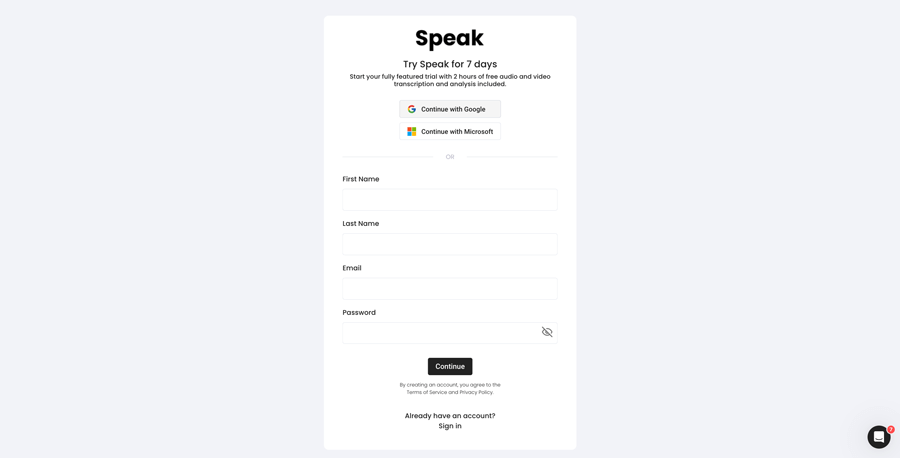
Schritt 1: Erstellen eines Speak-Kontos
To start your Kiswahili transcription, you first need to ein Speak-Konto erstellen. Keine Sorge, das ist ganz einfach zu machen!
Our team is happy to give you a 7-day trial with 30 minutes of free Kiswahili audio and video transcription included.
To sign up for Speak and start your Kiswahili transcription, visit the Speak app register page here.

Step 2: Upload your Kiswahili file(s) for Transcription
In der Regel empfehlen wir MP4s für Video und MP3s für Audio, aber wir akzeptieren eine Reihe von Audio- und Videodateiformaten.
Once you upload your file all you have to do is select “Kiswahili” from the language dropdown menu to automatically transcribe in Kiswahili.
You can upload your Kiswahili file for transcription in several ways using Speak:
Accepted Kiswahili Audio File Types
- Kiswahili MP3
- Kiswahili M4A
- Kiswahili WAV
- Kiswahili OGG
- Kiswahili WEBM
- Kiswahili M4P
Accepted Kiswahili Video File Types
- Kiswahili MP4
- Kiswahili M4V
- Kiswahili WMV
- Kiswahili AVI
- Kiswahili MOV
- Kiswahili FLV
Publicly Available Kiswahili URLs
Sie können Medien auch über eine öffentlich zugängliche URL auf Speak hochladen.
Solange die Dateityp-Erweiterung am Ende der URL vorhanden ist, können Sie Ihre Aufnahme problemlos zur automatischen Transkription und Analyse importieren.
Kiswahili YouTube URLs
Speak ist mit YouTube-Videos kompatibel. Alles, was Sie tun müssen, ist die URL des YouTube-Videos zu kopieren (zum Beispiel, https://www.youtube.com/watch?v=qKfcLcHeivc).
Speak findet die Datei automatisch, berechnet die Länge und importiert das Video.
Bitte stellen Sie sicher, dass Sie den vollständigen Link verwenden und nicht den verkürzten YouTube-Ausschnitt. Stellen Sie außerdem sicher, dass Sie den Kanalnamen aus der URL entfernen.
Sprechen Sie Integrationen
Wie bereits erwähnt, enthält Speak auch eine Reihe von Integrationen für Vergrößern, Zapier, Vimeo und anderen, die Ihnen helfen, Ihre Medien automatisch zu transkribieren.
Die Bibliothek der Integrationen wird ständig erweitert! Haben Sie eine Anfrage? Schicken Sie uns einfach eine Nachricht.
Schritt 3: Automatisches Berechnen und Bezahlen des Gesamtbetrags
Once you have your Kiswahili audio or video file ready and have loaded it into Speak, it will automatically calculate the total cost (you get 30 minutes free in the trial – take advantage of it!).
Sie können mit unserem Echtzeit-Rechner einen individuellen Tarif mit Inklusivminuten abschließen.
Sie können auch einen Saldo hinzufügen oder bezahlen Sie für Uploads ohne Plan mit Ihrem Kreditkarte.
Step 4: Wait for Speak to transcribe your Kiswahili audio or Kiswahili video
Unsere automatische Transkriptionssoftware erstellt Ihr Transkript in nur wenigen Minuten. In der Regel benötigt Speak etwa die Hälfte der Audio- oder Videolänge, um das Transkript und die Erkenntnisse zu erstellen.
Sobald Sie fertig sind, erhalten Sie eine E-Mail-Benachrichtigung, dass Ihre Abschrift vollständig ist. Diese E-Mail enthält einen Link zur Datei, über den Sie auf den interaktiven Medienplayer zugreifen können, in dem das Transkript, die Analyse und die Exportformate für Sie bereitstehen.

Schritt 5: Anzeigen und Bearbeiten Ihrer automatischen Abschrift
Möchten Sie die Bearbeitung der Abschrift selbst in Angriff nehmen? Das ist kein Problem! Sobald Sie Ihr automatisiertes Zeugnis erhalten haben, können Sie Ihr Zeugnis jederzeit bearbeiten.
Aktualisieren Sie die Namen der Sprecher, suchen und ersetzen Sie sie und bringen Sie Ihr automatisches Transkript mit unserem intuitiven Transkriptbearbeitungssystem auf den neuesten Stand.
Schritt 6: Exportieren Sie Ihr Transkript und teilen Sie interaktive Media Player
Sie können Ihre Abschrift in PDF, Word, TXT, HTML und sogar in fortgeschrittenere Formate wie CSV oder JSON exportieren, je nach Ihrem Plan.
Ein effektiverer Weg für die Weitergabe von Abschriften ist eine gemeinsam nutzbare Mediathek die die Mediendatei, KI-Einsichten und ein interaktives Transkript enthält.
Es gibt so viel mehr, was Sie mit Speak tun können, um den Wert Ihrer Medien und Transkripte zu steigern.
Zögern Sie nicht, uns im Live-Chat eine Nachricht zu schicken - wir sind immer für Sie da!
We talked about Kiswahili transcription here, but you may be interested in how to transcribe in other languages instantly and easily with Speak’s intuitive transcription and natural language processing software. We’ve shared resources below on all the languages Speak can help you transcribe!
Schließen Sie sich den über 200.000 Anwendern an, die mit ihren Audio-, Video- und Textdaten radikale Effizienzsteigerungen erzielen und so ihren Wert steigern.

How Much Does It Cost To Transcribe Kiswahili?
Speak offers highly competitive pricing for Kiswahili transcription compared to other transcription solutions. For a starting user, Speak offers automated Kiswahili transcription for only $0.025 USD per minute. That is only $1.50 USD per hour!
Wir haben auch besondere Angebote für Preise, die Transkription, Analyse-Teammitglieder, Übersetzung und mehr zu einem unglaublichen Rabatt zusammenfassen!
We also scale our pricing based on media volume and can offer even bigger discounts to large customers. So, if you have over 100 hours of Kiswahili transcription per month, please contact us through live chat, and we will set you up with a customized price per minute to make Kiswahili transcription even more affordable!
You can learn more about how to transcribe Kiswahili with Speak and the relevant pricing on the Website-Preisseite und die In-App-Preisseite.
What Can You Transcribe In Kiswahili?
- Transcribe Kiswahili interviews
- Transcribe Kiswahili videos
- Transcribe Kiswahili audio
- Transcribe Kiswahili earnings calls
- Transcribe Kiswahili focus groups
- Transcribe Kiswahili meetings
- Transcribe Kiswahili phone calls
- Transcribe Kiswahili YouTube videos
- Transcribe Kiswahili Vimeo videos
- Transcribe Kiswahili Zoom recordings
- Transcribe Kiswahili Google Meet recordings
- Microsoft Teams-Aufzeichnungen transkribieren
- Transcribe Kiswahili podcasts
Und so viel mehr!
How To Export Kiswahili Transcripts
With Speak, you can easily export Kiswahili transcriptions to many formats.
Below is a list of options for exporting your Kiswahili transcripts in Speak:
- Export Kiswahili transcripts to Word Docs
- Export Kiswahili transcripts to PDFs
- Export Kiswahili transcripts to CSVs
- Export Kiswahili transcripts to TXT files
- Export Kiswahili transcripts to HTML
- Export Kiswahili transcripts to SRTs
- Export Kiswahili transcripts to VTTs
- Export Kiswahili transcripts to JSON
How To Generate Kiswahili Captions
If you are looking to subtitle in Kiswahili or caption in Kiswahili, Speak is a powerful solution. Speak’s automatic transcription software automatically generated Kiswahili transcripts with timestamps that enable Speak to quickly create SRT and VTT files necessary for Kiswahili captions and Kiswahili subtitles.
Welche anderen Sprachen kann Speak Transcribe?
Speak hat bereits Nutzer aus über 90 Ländern und wir erhalten ständig Anfragen für Transkriptionen und Analysen in verschiedenen Sprachen.
Deshalb fügen wir Speak kontinuierlich weitere Sprachen hinzu! Hier sind nur einige der wachsenden Liste von Sprachen, die Speak anbietet:
- So transkribieren Sie Abchasisch
- So transkribieren Sie Albanisch
- So transkribieren Sie Amharisch
- So transkribieren Sie Arabisch (Ägypten)
- So transkribieren Sie Arabisch (Irak)
- So transkribieren Sie Arabisch (Israel)
- So transkribieren Sie Arabisch (Jordanien)
- So transkribieren Sie Arabisch (Kuwait)
- So transkribieren Sie Arabisch (Libanon)
- So transkribieren Sie modernes Standard-Arabisch (Bahrain)
- So transkribieren Sie Arabisch (Oman)
- So transkribieren Sie Arabisch (Palästinensische Autonomiebehörde)
- So transkribieren Sie Arabisch (Katar)
- So transkribieren Sie Arabisch (Saudi-Arabien)
- So transkribieren Sie Arabisch (Arabische Republik Syrien)
- So transkribieren Sie Arabisch (VAE)
- Wie man Armenisch transkribiert
- So transkribieren Sie Assamesisch
- So transkribieren Sie Asturisch
- So transkribieren Sie Aserbaidschanisch
- So transkribieren Sie Baschkirisch
- So transkribieren Sie Baskisch
- So transkribieren Sie Weißrussisch
- So transkribieren Sie Bengalisch
- So transkribieren Sie Bosnisch
- Wie man Bulgarisch transkribiert
- So transkribieren Sie Burmesisch
- Wie man Katalanisch transkribiert
- Transkribieren von Chinesisch (Kantonesisch, Traditionell)
- Transkribieren von Chinesisch (Vereinfacht)
- Wie man Kroatisch transkribiert
- Wie man Tschechisch transkribiert
- Wie man Dänisch transkribiert
- Wie man Niederländisch transkribiert
- So transkribieren Sie Englisch (Australien)
- So transkribieren Sie Englisch (Britisch)
- So transkribieren Sie Englisch (Vereinigtes Königreich)
- So transkribieren Sie Englisch (USA)
- Wie man Estnisch transkribiert
- Wie man Farsi transkribiert
- Wie man Finnisch transkribiert
- So transkribieren Sie Filipino
- So transkribieren Sie Flämisch
- Wie man Französisch transkribiert
- So transkribieren Sie Französisch (Kanada)
- So transkribieren Sie Galicisch
- So transkribieren Sie Georgisch
- So transkribieren Sie Deutsch
- So transkribieren Sie Deutsch (Schweiz)
- Wie man Griechisch transkribiert
- Wie man Gujarati transkribiert
- So transkribieren Sie Hausa
- Wie man Hebräisch transkribiert
- Wie man Hindi transkribiert
- Wie man Ungarisch transkribiert
- Wie man Isländisch transkribiert
- Wie man Indonesisch transkribiert
- Wie man Irisch transkribiert
- Wie man Italienisch transkribiert
- Wie man Japanisch transkribiert
- So transkribieren Sie Javanisch
- So transkribieren Sie Kabyle
- Wie man Kannada transkribiert
- So transkribieren Sie Kasachisch
- So transkribieren Sie Khmer
- So transkribieren Sie Kinyarwanda
- So transkribieren Sie Kiswahili
- Wie man Koreanisch transkribiert
- So transkribieren Sie Kurdisch
- So transkribieren Sie Kirgisisch
- So transkribieren Sie Lao
- Wie man Lettisch transkribiert
- Wie man Litauisch transkribiert
- So transkribieren Sie Luganda
- So transkribieren Sie Mazedonisch
- Wie man Malaiisch transkribiert
- Wie man Malayalam transkribiert
- So transkribieren Sie Maltesisch
- So transkribieren Sie Marathi
- So transkribieren Sie Meadow Mari
- So transkribieren Sie Mongolisch
- So transkribieren Sie Nepali
- Wie man Norwegisch transkribiert
- So transkribieren Sie Odia
- So transkribieren Sie Oriya
- So transkribieren Sie Paschtu
- Wie man Persisch transkribiert
- Wie man Polnisch transkribiert
- Wie man Portugiesisch transkribiert
- So transkribieren Sie Portugiesisch (Brasilianisch)
- So transkribieren Sie Portugiesisch (Portugal)
- So transkribieren Sie Punjabi
- Wie man Rumänisch transkribiert
- Wie man Russisch transkribiert
- So transkribieren Sie Serbisch
- So transkribieren Sie Singhalesisch
- Wie man Slowakisch transkribiert
- Wie man Slowenisch transkribiert
- So transkribieren Sie Somali
- Wie man Spanisch transkribiert
- So transkribieren Sie Spanisch (Mexiko)
- Wie man Sundanesisch transkribiert
- Wie man Swahili transkribiert
- Wie man Schwedisch transkribiert
- Wie man Tagalog transkribiert
- Wie man Tamilisch transkribiert
- Wie man Tatarisch transkribiert
- Wie man Telugu transkribiert
- Wie man Thai transkribiert
- Wie man Türkisch transkribiert
- Wie man Ukrainisch transkribiert
- Wie man Vietnamesisch transkribiert
- So transkribieren Sie Urdu
- Uyghurisch transkribieren
- Wie man Usbekisch transkribiert
- Wie man Walisisch transkribiert
- Wie man Wolof transkribiert
- Wie man Zulu transkribiert
Es sind jetzt viele weitere hinzugekommen!
Sie können sehen die gesamte Liste der von Speak unterstützten Sprachen sowohl über die Software als auch über APIs.
Transkribieren Sie mit Speak AI — über 100 Sprachen unterstützt
Speak AI supports transcription in 100+ languages including Kiswahili. Upload your audio or video files and get accurate, AI-powered transcriptions with built-in NLP analytics, sentiment analysis, and keyword extraction. Available for individuals, researchers, and enterprise teams.
Automatisierte Transkriptionssoftware
AI Meeting Assistant
KI-Sprachagenten
KI-Beratung & -Implementierung
Audio zu Text Konverter
Transkript-Analysator
 English
  Español
  Français
  Italiano
  العربية
  Português do Brasil
  Nederlands
  Deutsch
  עִבְרִית
  Русский
  日本語
日本語  Polski
  Čeština
  Українська
  Slovenščina
  Svenska
  Ελληνικά
  Norsk bokmål
  简体中文
简体中文  Türkçe
  Català
  Magyar
  한국어
한국어  Slovenčina
  Suomi
Suomi