

更新
Speak 新功能 – 2025 年 12 月
十二月快乐!Speak AI 将在 2025 年末推出一系列备受期待的重磅功能。您可以将资源托管在自定义白标域名上,将 Speak 与 Slack 直接集成,实现即时转录和 AI 聊天,还可以使用全新主题和字体自定义调查问卷。立即体验所有增强功能,并在价格变动前领取我们超值的年终特惠!
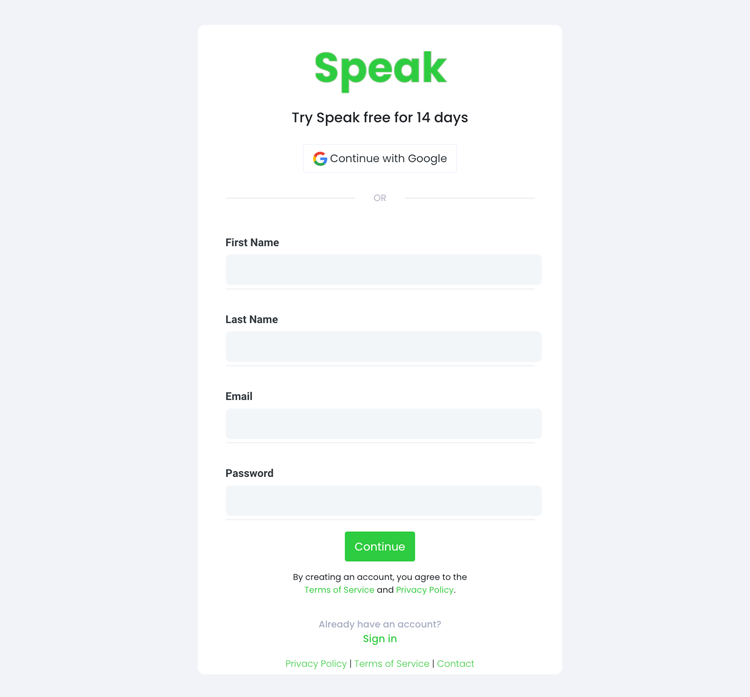
要开始转录和分析,您首先需要 创建 Speak 帐户.不用担心,这非常容易做到!
Get a 7-day trial with trial credits for audio and video transcription included when you sign up for Speak.
要注册 Speak 并开始使用 Speak Magic Prompts,请访问 在此注册应用程序.
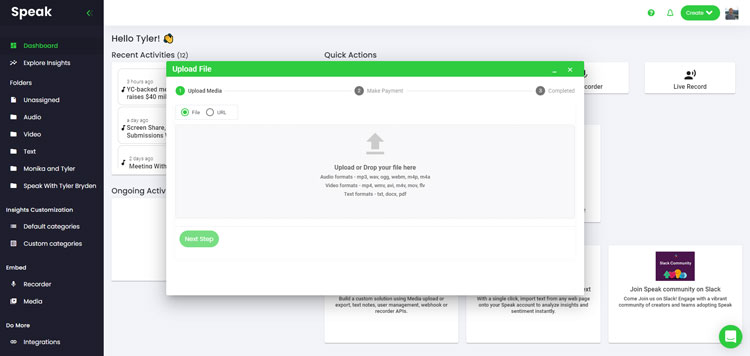
我们通常推荐 MP4 视频或 MP3 音频。
不过,我们接受各种音频、视频和文本文件类型。
您可以使用 Speak 通过多种方式上传文件以供转录:
您还可以上传 CSV 文本文件或音频和视频文件。您可以了解有关 CSV 上传和 在此下载与 Speak 兼容的 CSV.
使用 CSV,您可以上传从几十个 YouTube 视频到数千个访谈数据的任何内容。
您还可以通过公开的 URL 将媒体上传到 Speak。
只要 URL 末尾有文件类型扩展名,就可以顺利导入录音,进行自动转录和分析。
Speak 与 YouTube 视频兼容。您只需复制 YouTube 视频的 URL(例如、 https://www.youtube.com/watch?v=qKfcLcHeivc).
Speak 会自动查找文件、计算长度并导入视频。
如果使用 YouTube 视频,请确保使用完整链接,而不是缩短的 YouTube 视频片段。此外,请确保从 URL 中删除频道名称。
如前所述,Speak 还包含一系列集成功能,用于 放大, Zapier、Vimeo 等,帮助你自动转录媒体。
集成库还在不断扩大!有要求吗?请给我们留言。
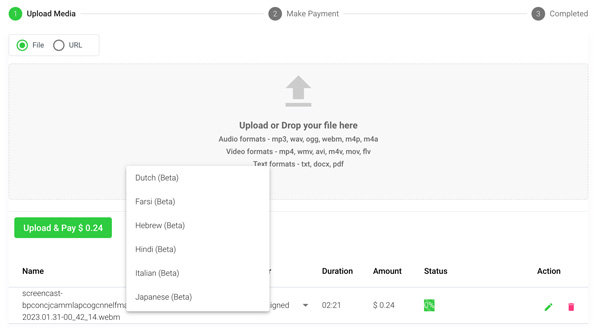
Once you have your file(s) ready and load it into Speak, it will automatically calculate the total cost (trial credits are included in the 7-day trial, so take advantage of them!).
如果您将文本数据上传到 Speak,目前无需支付任何费用。只有 Speak Magic Prompts 分析会产生费用,详情如下。
Once you use your trial credits or need Speak Magic Prompts, you can top up credits (1 credit = US$1) or subscribe to Pro at US$25 per user per month, or US$20 per user per month billed annually. See the 定价页 详情请见下文。.
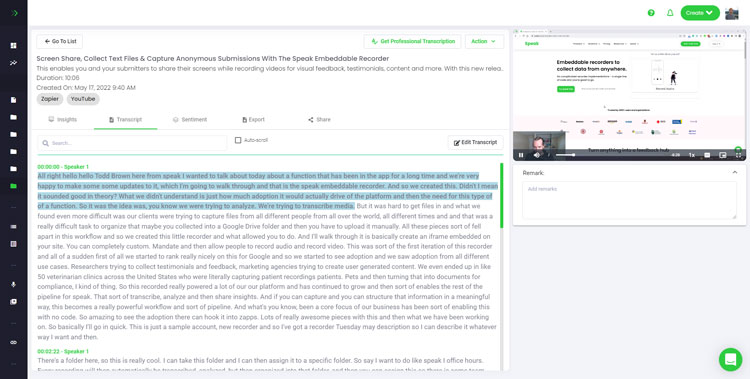
如果您上传的是音频和视频,我们的自动转录软件将迅速为您准备好转录稿。 完成后,您将收到一封电子邮件通知,说明您的记录誊本已完成。该电子邮件将包含一个指向文件的链接,这样您就可以访问交互式媒体播放器,该播放器已为您准备好成绩单、分析和导出格式。
如果您导入的是 CSV 或上传的是文本文件,Speak 通常会更快地分析信息。
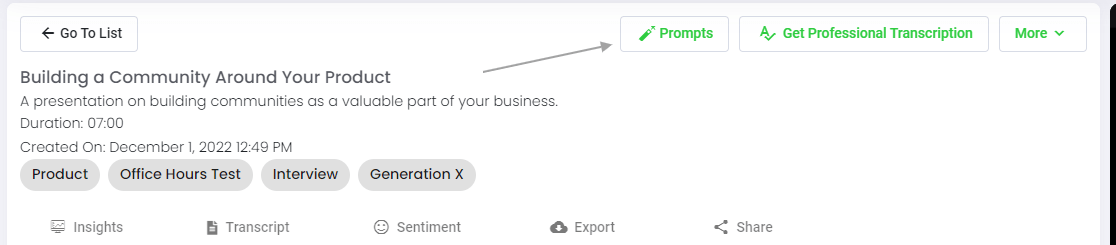
Speak 既能分析单个文件,也能分析整个文件夹的数据。
在 Speak 中查看任何单个文件时,只需点击 "提示 "按钮即可。
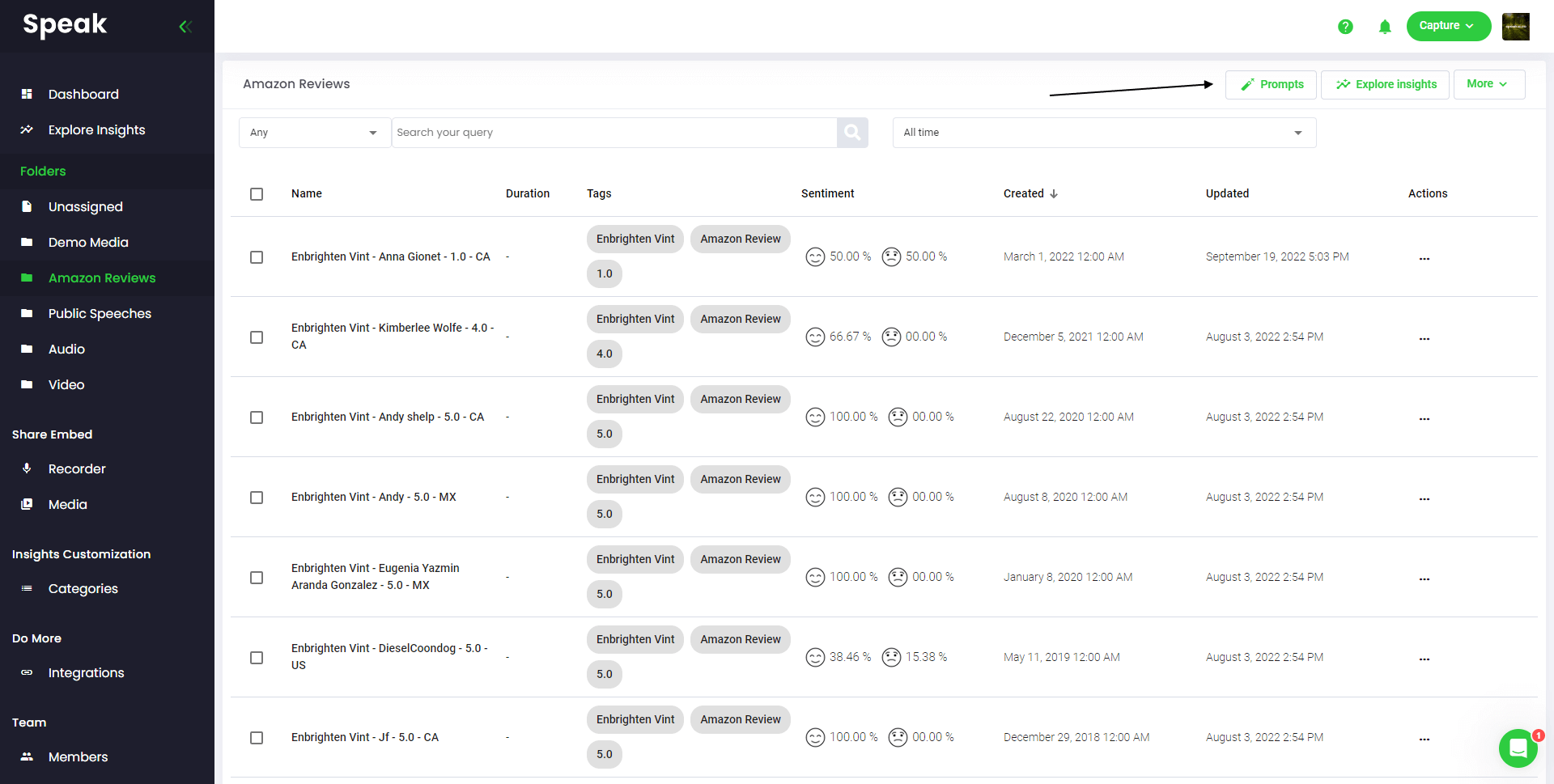
如果要分析多个文件,只需将要分析的文件添加到 Speak 中的文件夹即可。
您可以将新文件添加到 Speak 中,也可以利用软件的简易编辑功能将现有文件整理到所需的文件夹中。
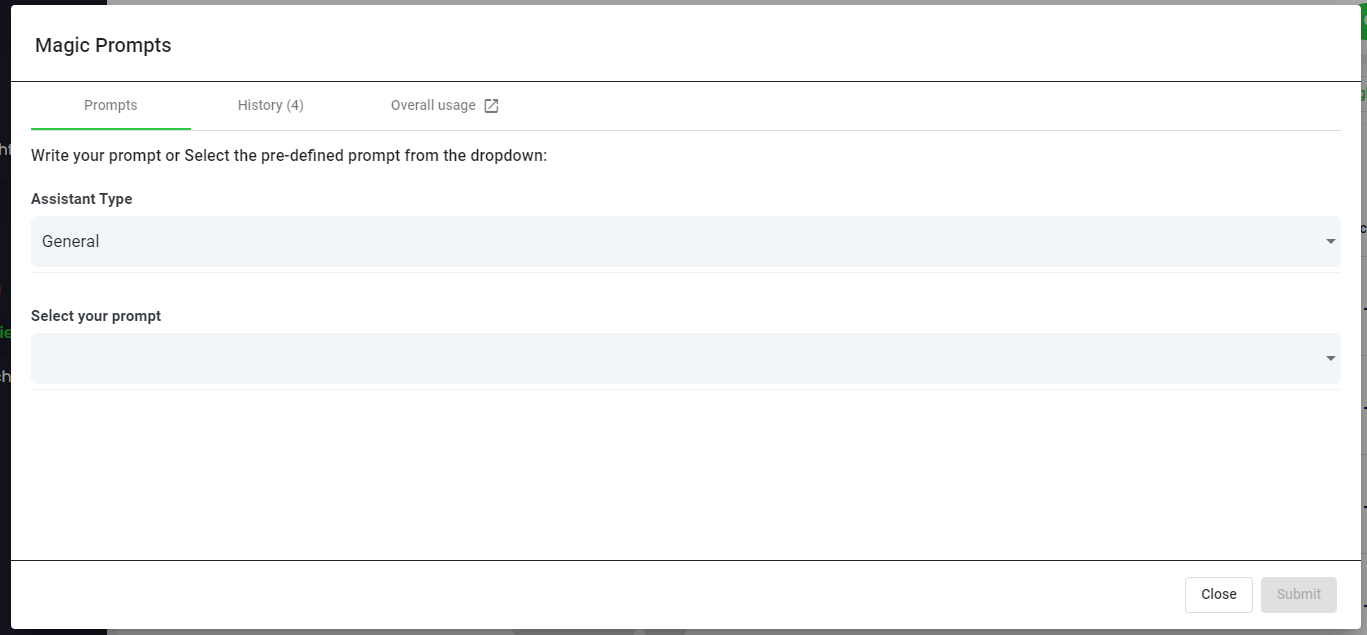
Speak Magic Prompts 利用人工智能模型的创新,通常被称为 "生成式人工智能"。
这些模型分析了互联网上的大量数据,从而获得对语言的理解。
有了这种理解,这些 "大型语言模型 "就能完成令人费解的任务!
有了 Speak Magic Prompts,您现在可以对 Speak 账户中的音频、视频和文本数据执行这些任务。
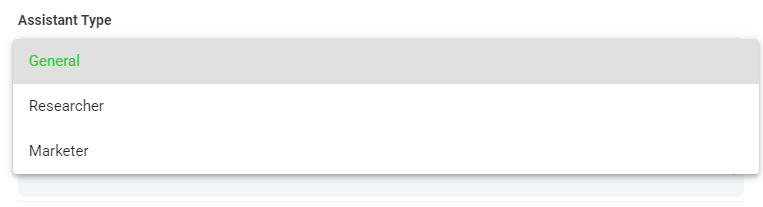
为了帮助您从 Speak Magic Prompts 中获得更好的效果,Speak 推出了 "助手类型"。
这些助手类型可根据您的需求进行预设,并为提示引擎提供上下文,以实现更简洁、更有意义的输出。
首先,我们将其包括在内:
从下拉菜单中选择最相关的助手类型。

以下是一些提示示例,您现在就可以将它们应用到任何文件中:
这时会弹出一个模态,您可以使用我们上面分享的建议提示,立即神奇地获得答案。
如果您想创建自己的提示,请从下拉菜单中选择 "自定义提示",然后会打开另一个文本框,您可以在其中对数据提出任何要求!
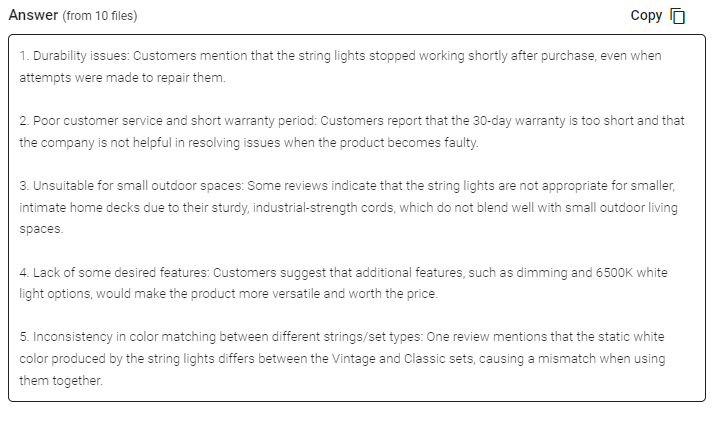
Speak 会在提示选择下拉菜单下方的文本框中为您生成简洁的回复。
在此示例中,我们要求一次性分析文件夹中的所有访谈数据,找出对产品最不满意的人。
您可以轻松复制该回复,用于演示、内容、电子邮件、团队成员等!
Our team at Speak AI continues to optimize the pricing for Magic Prompts and Speak as a whole.
现在,凡是参加 Speak 7 天试用版的用户,其账户中都会包含 100,000 个字符。
如果您需要更多字符,您可以在创建订阅时轻松将 "Speak Magic Prompts "纳入计划。
如果您已经订阅,还可以升级账户中的字符数。
这两个选项都可在 订阅页面.
或者,您也可以通过以下方法使用 "说话魔法提示": 1. 余额 到您的账户。余额将在您分析字符时使用。
在 Speak,我们让个性化订阅变得异常简单。
注册后,只需访问我们的 定制计划生成器 并选择所需的媒体数量、团队规模和功能,以获得适合您需求的计划。
不再有死板的计划。随时升级、降级或取消。
如果您的朋友、同行和追随者对使用我们的平台感兴趣,您就可以每月赚取真金白银。
无论您推荐的客户是付费购买计划、自动转录媒体还是利用专业转录服务,您都可以从所有销售额中获得一定比例的报酬。
使用此链接 成为 Speak 的正式会员。
我很荣幸能亲自与您进行介绍性通话,以确保您的成功。
只需使用我们的 Calendly 链接 找到适合您的时间。我们期待与您见面!
十二月快乐!Speak AI 将在 2025 年末推出一系列备受期待的重磅功能。您可以将资源托管在自定义白标域名上,将 Speak 与 Slack 直接集成,实现即时转录和 AI 聊天,还可以使用全新主题和字体自定义调查问卷。立即体验所有增强功能,并在价格变动前领取我们超值的年终特惠!
 English English
 Español
 Français
 Italiano
 العربية
 Português do Brasil
 Nederlands
 Deutsch
 עִבְרִית
 Русский
 日本語
 Polski
 Čeština
 Українська
 Slovenščina
 Svenska
 Ελληνικά
 Norsk bokmål
 简体中文
 Türkçe
 Català
 Magyar
 한국어
 Slovenčina
 Suomi
